Website feedback, straight into Trello
Every report becomes a Trello card. The screenshot and all the details are already on it, so your team can start fixing right away.
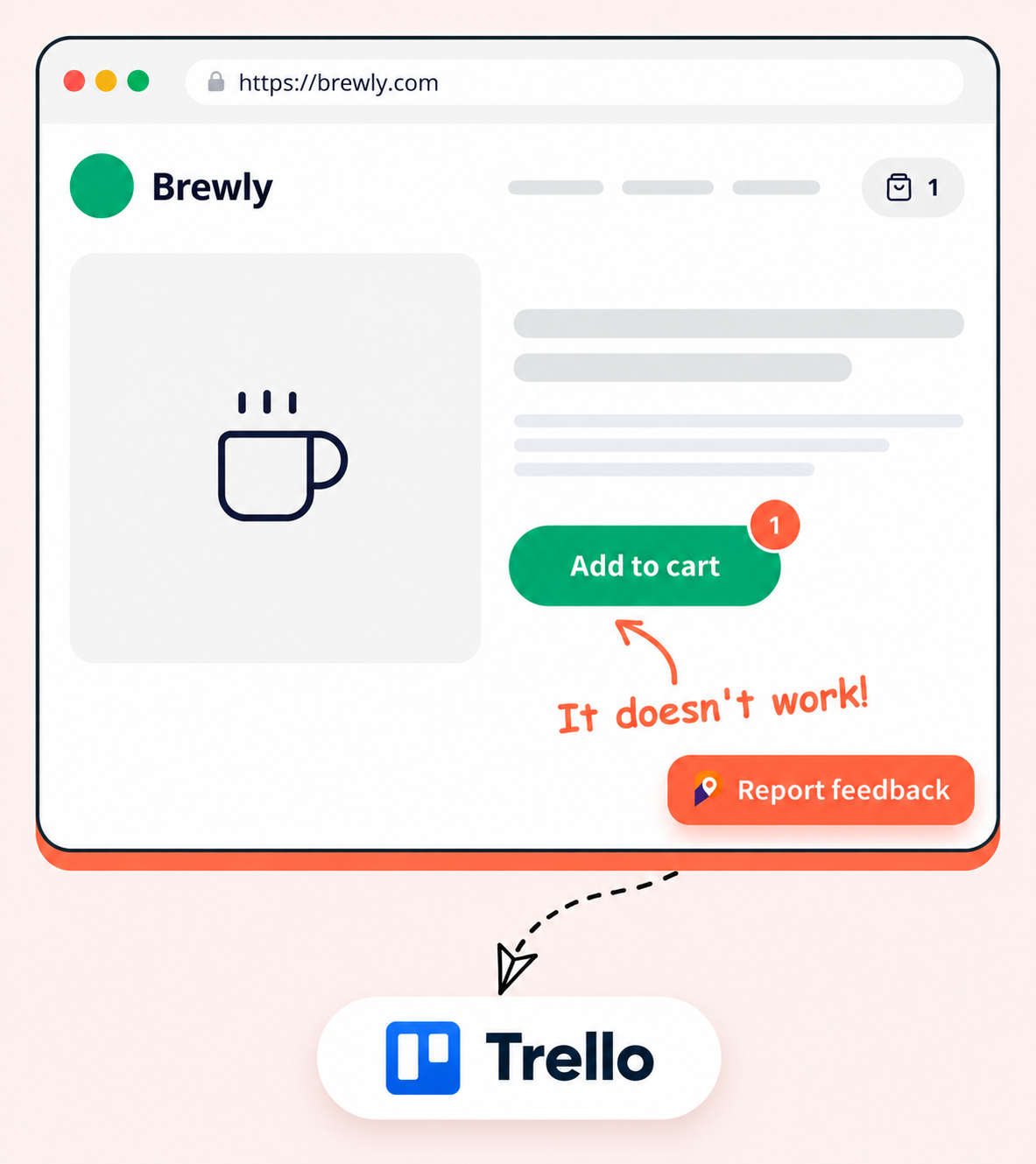
Point at the problem, we make the card
Your visitor clicks on the page, marks what is wrong and presses send. The Trello card is made for them.
Draw right on the page
Draw, highlight and type on a screenshot, so nobody has to explain where the bug is.
Looks like your brand
Pick the widget colors, position and fields to match your site.
Easy to install
Paste one small snippet, or use the browser extension on sites that are not yours.

Fix bugs without asking questions
Everything your developers need is written on the Trello card for them.
Add to cart button does nothing
Description
Reported by: Emma Cole (emma@brewly.com)
Source URL: brewly.com/shop/house-blend
Issue details: Open in PinMarks
I click Add to cart and nothing happens. The cart stays empty.
Console: 2 errors, 1 warning
TypeError: Cannot read properties of undefined
Session replay: View recording
Device type: Desktop
Browser: Chrome 126
Screen size: 1920 × 1080
OS: macOS 14
Viewport size: 1440 × 812
Zoom level: 100%
Custom metadata
• plan: Pro
• userId: u_4821
Screenshot
screenshot.png · added by PinMarks
Comments
Sam
Found it. Fix goes out today.
Browser details added for you
Browser, system, screen size and the page link are put on the card automatically.
Screenshot attached
The marked-up screenshot is attached to the card, so you see exactly what the person saw.
Error messages included
Errors from the browser console are summed up on the card, so you can see what broke.
Your own details
Add things like user ID or plan with the JavaScript SDK. They show up on every card.
Lands on the right list
Pick the board and the list for each PinMarks project, so cards land where your team works.
See what happened before the report
Watch the steps the person took, then open the recording from the Trello card. Anything they typed stays hidden.
Pick your coffee club plan
Fresh beans on your doorstep. Change or pause whenever you like.
Sip
$9/month
- 1 bag a month
- Standard shipping
- Pause anytime
- Email support
Brew
$19/month
- 3 bags a month
- Free shipping
- Pause anytime
- Tasting notes
Roast
$39/month
- 8 bags a month
- Free express shipping
- Pause anytime
- Private roasts
Trello and PinMarks stay in step
Keep working in Trello like you always do. PinMarks keeps the person who reported the bug in the loop.
Archive and close
Archive a card in Trello and the report is closed in PinMarks. Bring the card back and the report opens again.
Comments go both ways
A comment on one side shows up on the other.
No Trello account needed
Clients and teammates can reply from PinMarks without a Trello login.
Clients review on the live site
Stop sending feedback by email and shared files. Clients comment right on the page, and your team sees it in Trello.
Invite them as guests
Clients open a link and leave feedback without making an account.
One thread per issue
Every chat stays with the card it belongs to.
Add PinMarks to your site in minutes
Paste one snippet on a local, staging or live site, or skip the install and report from any page with the extension.
Snippet code
- Reporters send feedback without signing up
- One script tag, on desktop and mobile
- Fine-tune it with the JavaScript SDK



Browser extension
- Install it from your browser's store in one click
- Report on any site, even without the widget
- Full-page, pixel-perfect screenshots
Works in Chrome, Edge and Firefox.
Find out moreGet started
Up and running in a few minutes
No credit card and no developer needed to set up. Three steps and you are collecting feedback.
- 01Sign up
Start your free trial
Create your account and get 15 days to try every feature of your plan. No credit card needed.
Create your account → - 02Set up
Create a project
Name your project and connect your tracker if you use one, such as Jira, ClickUp or GitHub.
See integrations → - 03Collect
Add the widget
Paste one snippet on your site, or use the browser extension, and collect your first report.
Read the install guide →
FAQ
Frequently asked questions
Everything you need to know before you start collecting feedback.
Open Integrations in your project, choose Trello and sign in in the small popup window. Then pick the board and the list where new cards should go.
The title, the description, the page link, who reported it and the marked-up screenshot. Browser, system and screen size, console errors and any custom details you send are added to the description too.
Comments go both ways. If you archive a card in Trello, the report is closed in PinMarks, and the other way round. Two-way sync is on the Pro and Enterprise plans.
Yes. People only use the PinMarks widget or the browser extension. They never need a Trello login to send feedback.
Yes. You can send every report to Trello automatically, or read them in PinMarks first and send only the ones that matter with one click.
Stop chasing bugs.
Start pinning them.
Start collecting visual feedback today — fix bugs faster and keep your whole team in the loop.
15-day free trial · No credit card · Cancel anytime